Travel Tip: Save Places (with notes) to Apple Maps

If you like to travel to and explore, you probably keep a list of places to see and dishes to eat. These tips can come from friends you talk with, movies you see, or social media posts.
For me, the easiest way to store these places and notes is within Apple Maps itself. It's built-in, quick, and syncs to all your devices. The places are also easy to find later when you need them.
Save The Places You Want to See
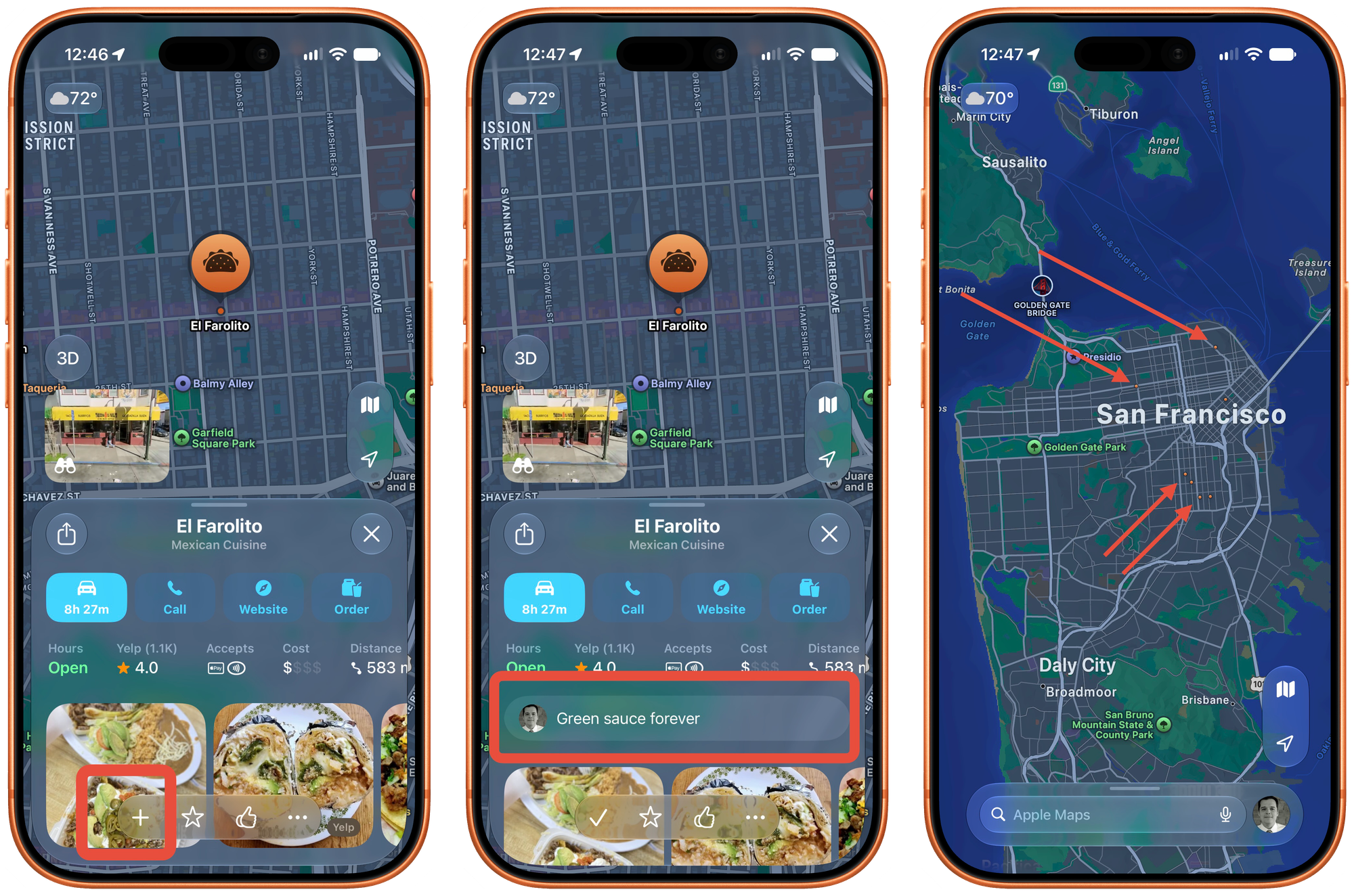
- Find the place that you want to save and press the little "+" at the bottom of the screen. This can be any location like a park, restaurant, or simply an address.
- Once you've added it to your "Places", you will have a place to leave a personal note. I'll usually add things like what dish I should order or which friend recommended this location to me. (That way, I can let them know later when I tried it and how I view their recommendations from that point...)
- Now that the place is saved, there will be a little orange dot easily visible on the map. So now, when you visit a new city or neighborhood, you can zoom out and quickly find any places that you saved and how close you are to them.
Now, when a friend asks if you have any recommendations from your trip to Sydney, you can quickly send a link to the Mexican food at El Loco near the train station.
What about places you've been already?
Most of my saved places are things I'd like to try if I'm ever in the area. But this is also a way to track the places you've been to and enjoyed. (In addition to a private journal, of course.)
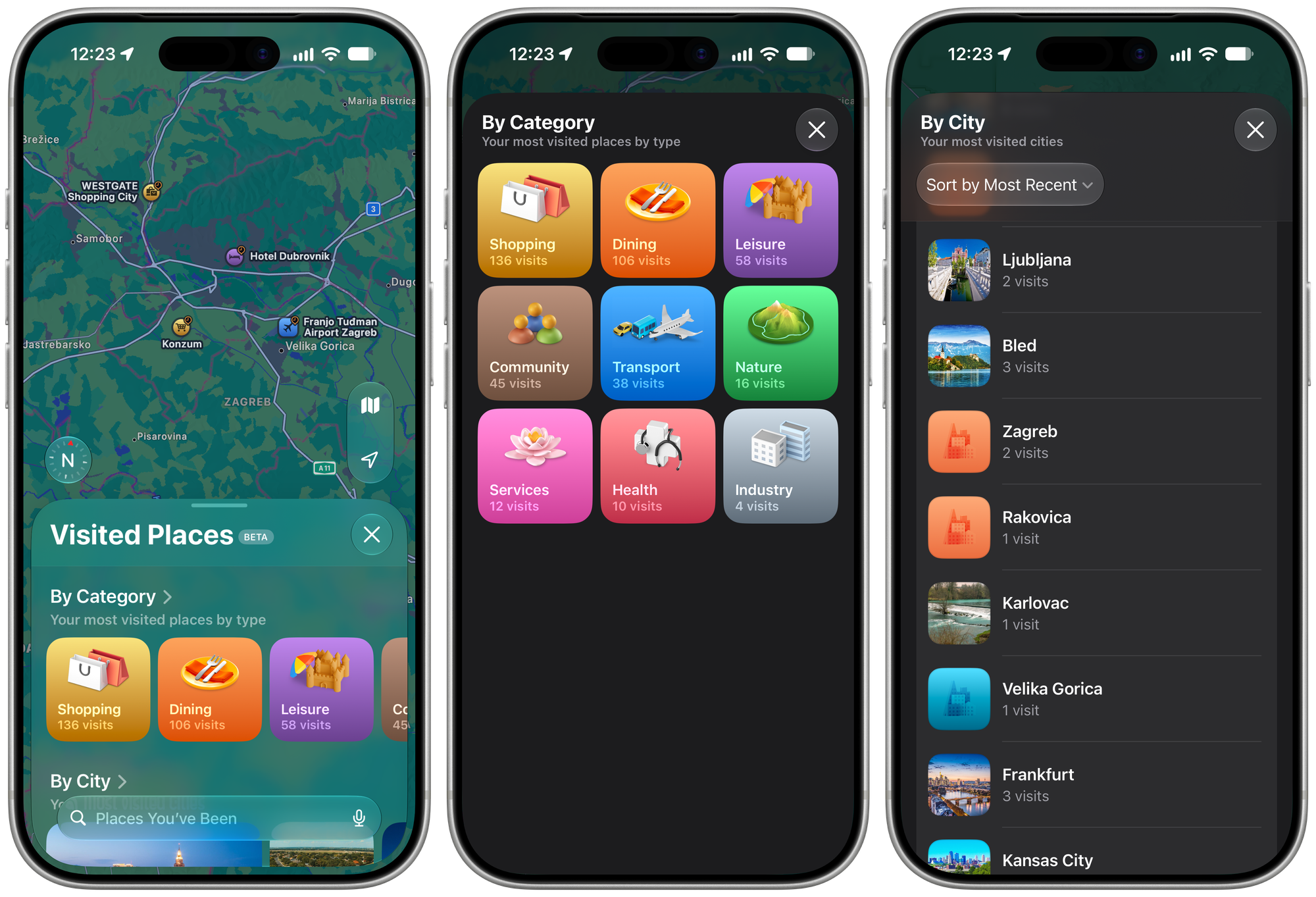
Apple Maps will automatically keep a list of places that you've visited. These places are end-to-end encrypted, can’t be read by Apple, and appear on all your synced devices. It's also super useful.
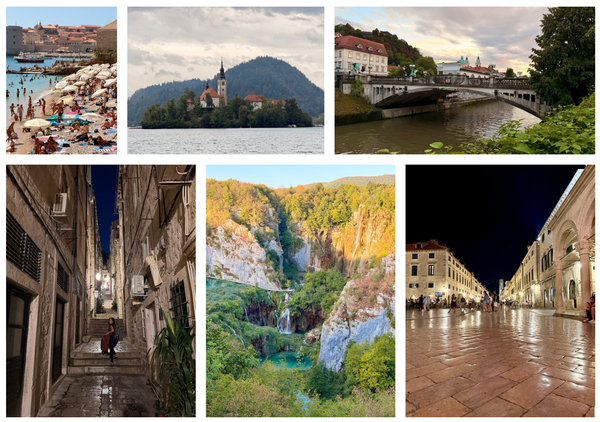
To find your visited places, open Maps and tap your user account photo at the bottom of the screen. From there, tap "Places" and look for "Visited Places." In addition to the full list, you'll also see them by category or by city. (This was super useful recently when recalling places we visited along the Adriatic Coast.)
From there, you can go through any place in your history, open one, and add it as described above. Take notes that might be useful in the future.
Also on this same page, you can scroll to the bottom to decide how long to keep these "Visited Places" on your device. Or clear them out completely.
Hopefully this is helpful info. Now send me all your places with good views or apple fritters. (Also, good views of apple fritters.)