Three ways we use Reminders app as a family

In a previous post, I talked about how we use Notes app as a family. I had a lot of feedback on that one and promised a similar post for Reminders. It's time.
The Reminders app comes on every iOS and macOS device by default. It started off pretty simple but now has all sorts of power features. When possible, I always try to use first-party apps and I've found a good place for this app personally and as a family. Here are three examples that might be helpful for others:
Shared Lists
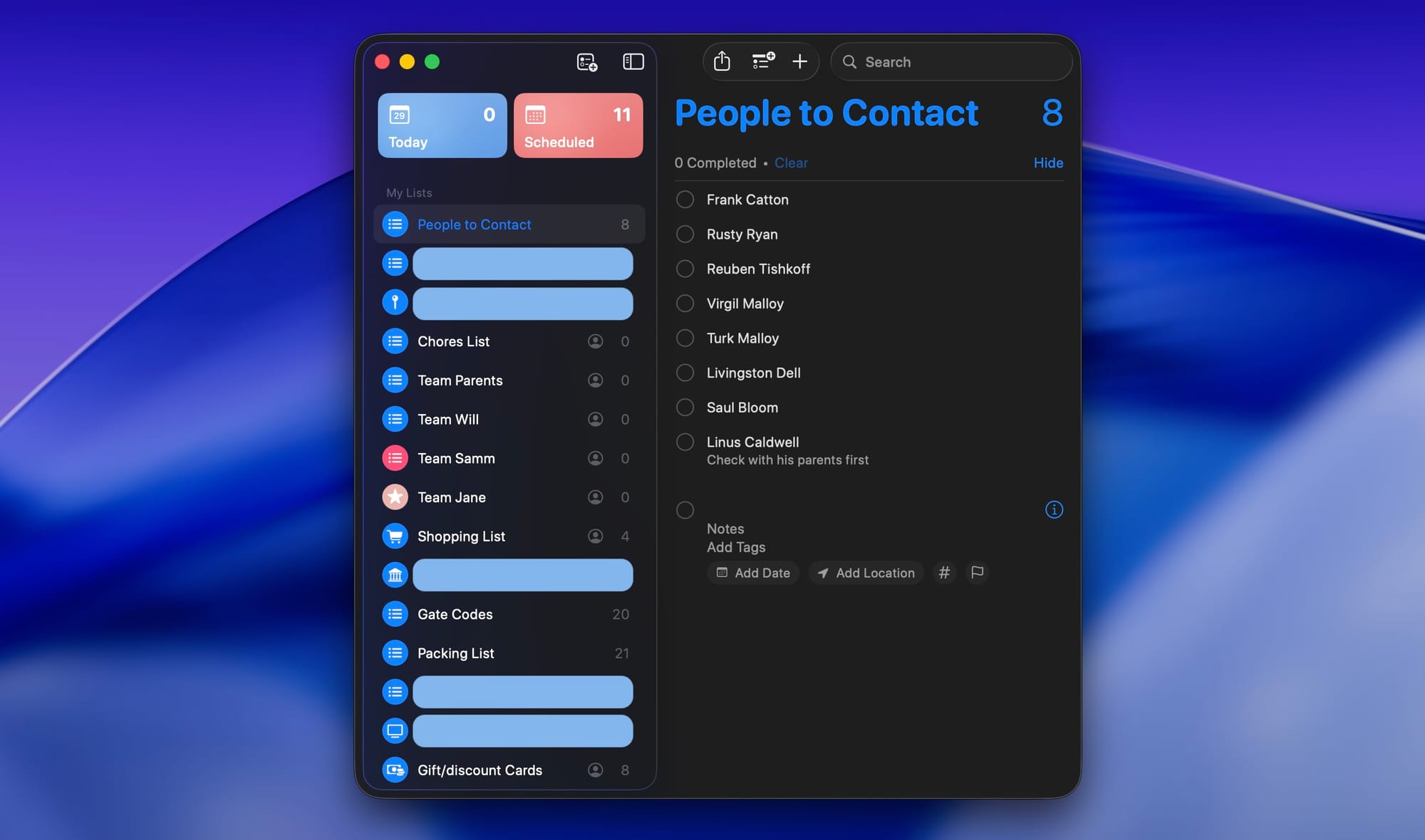
Over time, we have found a way to use shared lists as a family. Some of the ones that have been useful for us:
- Shopping List is a no brainer. When a family member sees something running low in the kitchen or household, they can add it to the list. During the weekly shopping (or anytime one of us is at the store), we'll check that list and see if there's anything that needs to be picked up and checked off.
- Team (Family Member) is a way we setup for personal needs. Each child has a list that is shared with just them and the parents. It's a place to record tasks for each other that saves from nagging or asking at the wrong time. If they need us to do something like pay for a field trip online they can make a task and assign it to us. If we need to have them do something around the house when they get home from school, we too can list and assign. Our kids know that we subscribe to The Life of Zero so if something lands on this list, we're going to get it done for them. (Our hope with these lists is that no kid feels like their needs are forgotten in those more chaotic times of life.)
- Gift/Discount Cards is a place where we list out the coupons, passes/gift cards/coupons/etc that we have available to anyone that needs them. For instance, there might be a "Buy One, Get One" for a restaurant and they can see that while planning their next date. We're not usually great at referring to these physical gift cards so this is a way to make them always visible. When used, it's deleted from the list.
- There is a Gated Codes list for running kids around to friend houses and activities. More about that in this post.
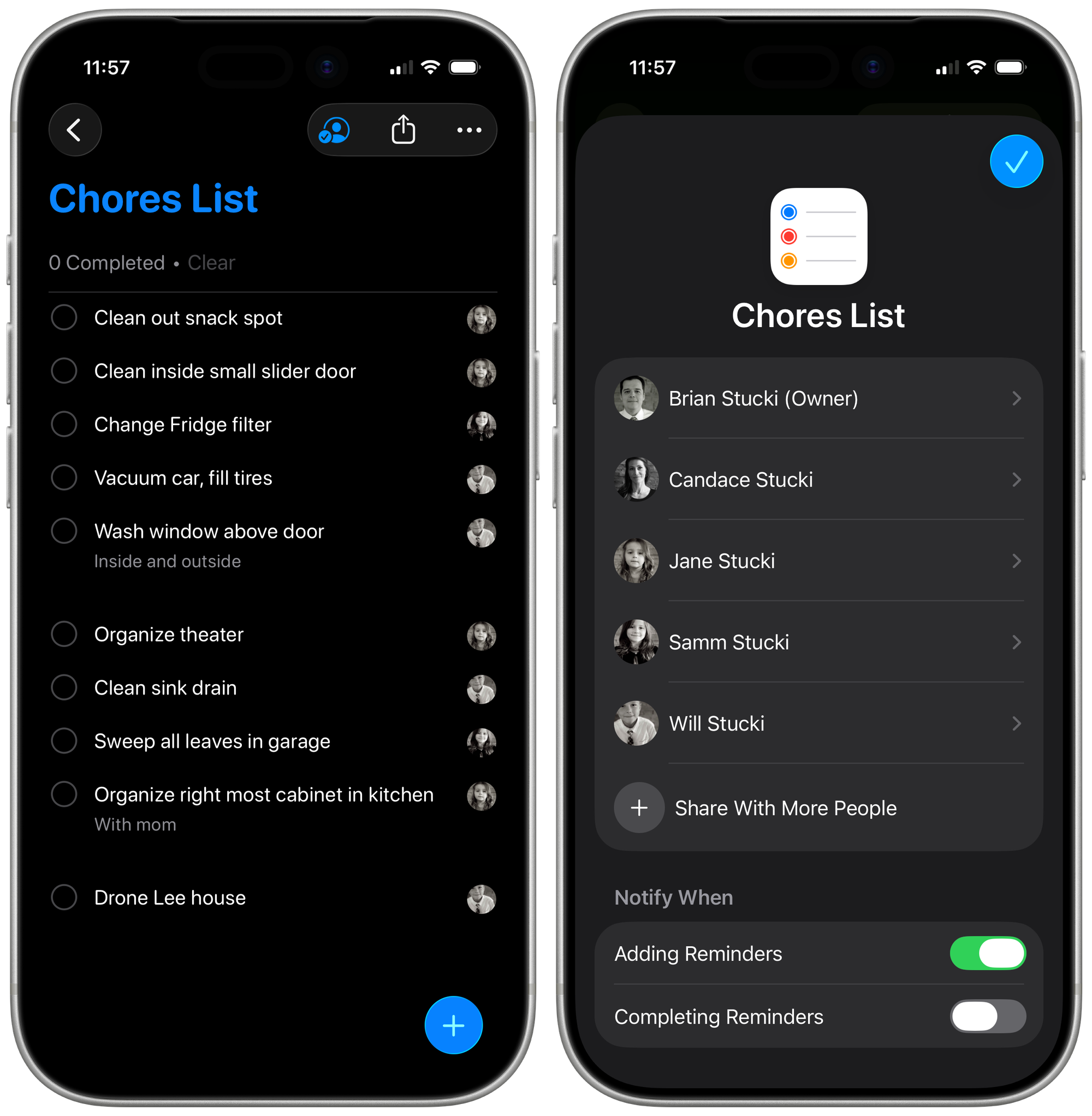
- Chores List is where we place the Saturday morning chores. When the weekend starts, everyone looks to see what needs to be done before activities are planned. They check off the list as the chores are complete and I confirm it's all done before I let that weekly allowance run with Apple Cash. Be sure that everyone is set to be notified "when adding reminders." We find that sometimes our kids will just get the chores done before the weekend even starts to ensure maximum fun and relaxation.
Use Templates for Common Lists
In a recent update, Reminders made it possible to have templates. This means you can make a list once and then save it to be easily created again. Our family likes to travel so we found this especially useful for things like a Packing List.
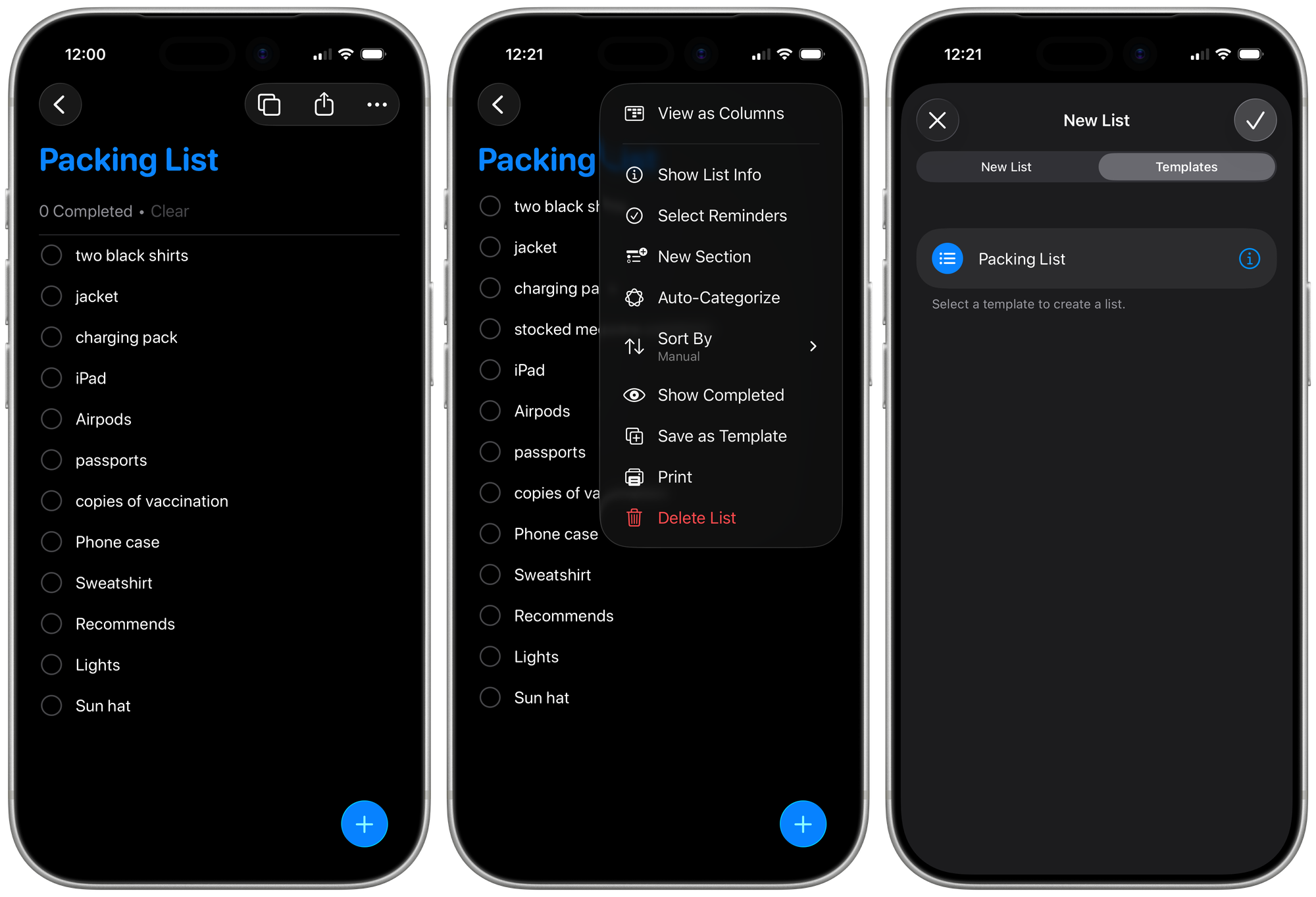
When it's time to get packed up, create a new list with the template and have the kids check off items as they're added to the bags.
Keep Reminders Visible
Phones can be overwhelming with apps and notifications. (Kid apps and games are especially bad at sending constant reminders. Dad tip: Occasionally go through the notification settings on your family phones and disable all unnecessary ones.)
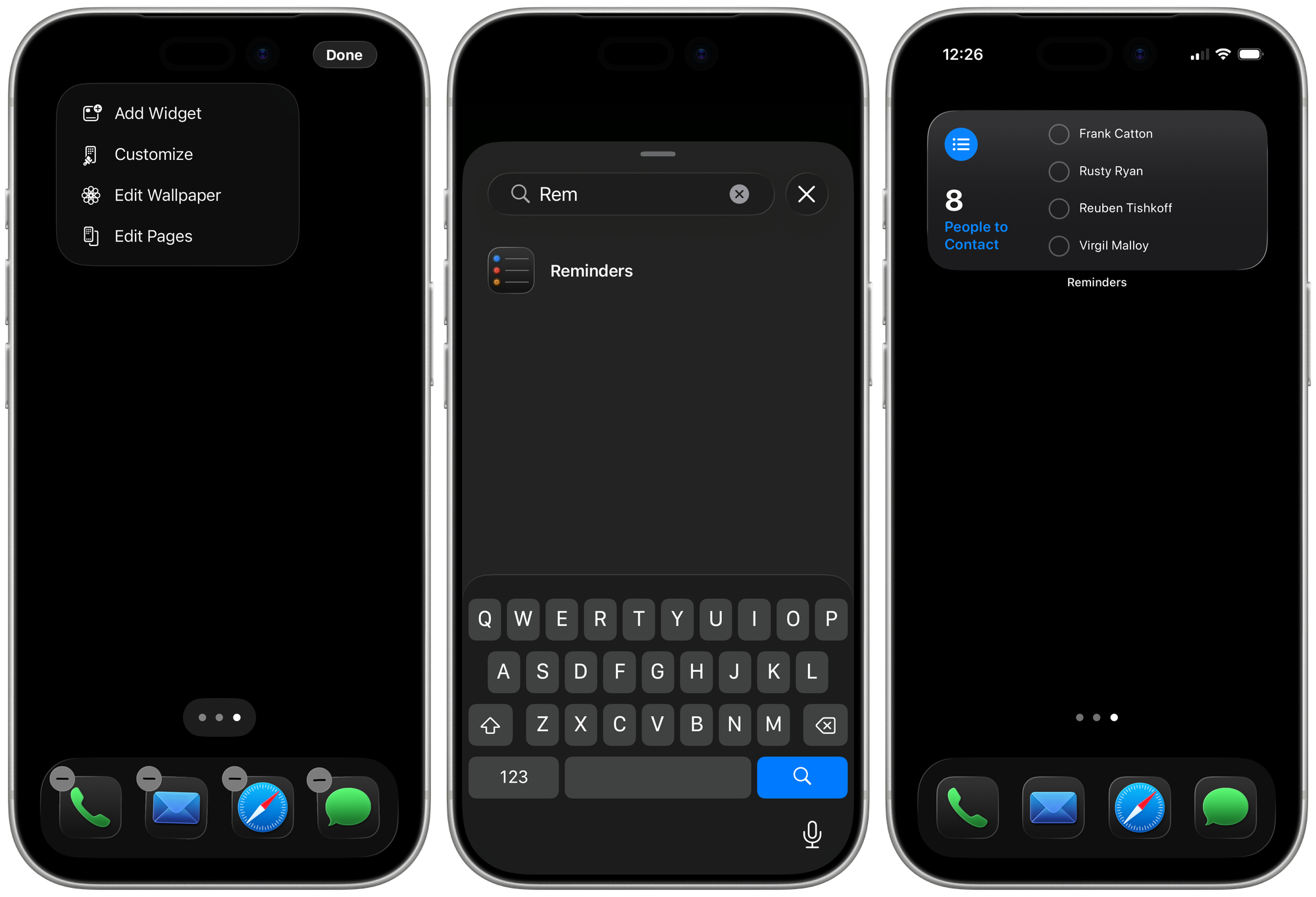
On iOS, it's easy to add a Reminders widget to the Home Screen. Once added, you can set for it to show any list or smart list that you want. (For instance, you might have it show only things that are due today or are past due.)
macOS now has the option to add widgets to the desktop as well. Just right click on your desktop and add it from there.
Once you have it in place, you can choose which list you want to show. It's also smart so when there is no active window, it's vibrant. But, when there is an active window for another app, the list will fade to the background a bit.
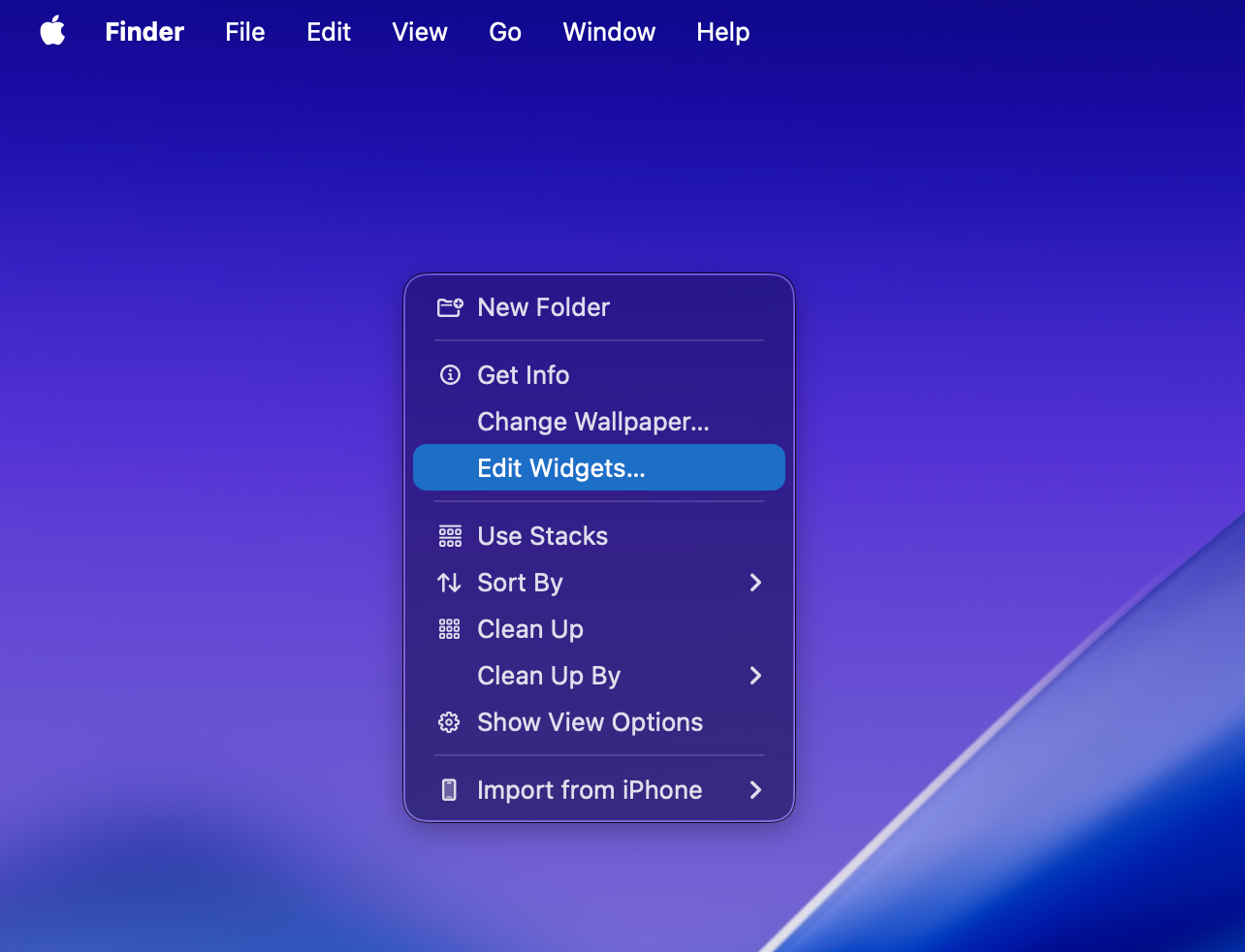
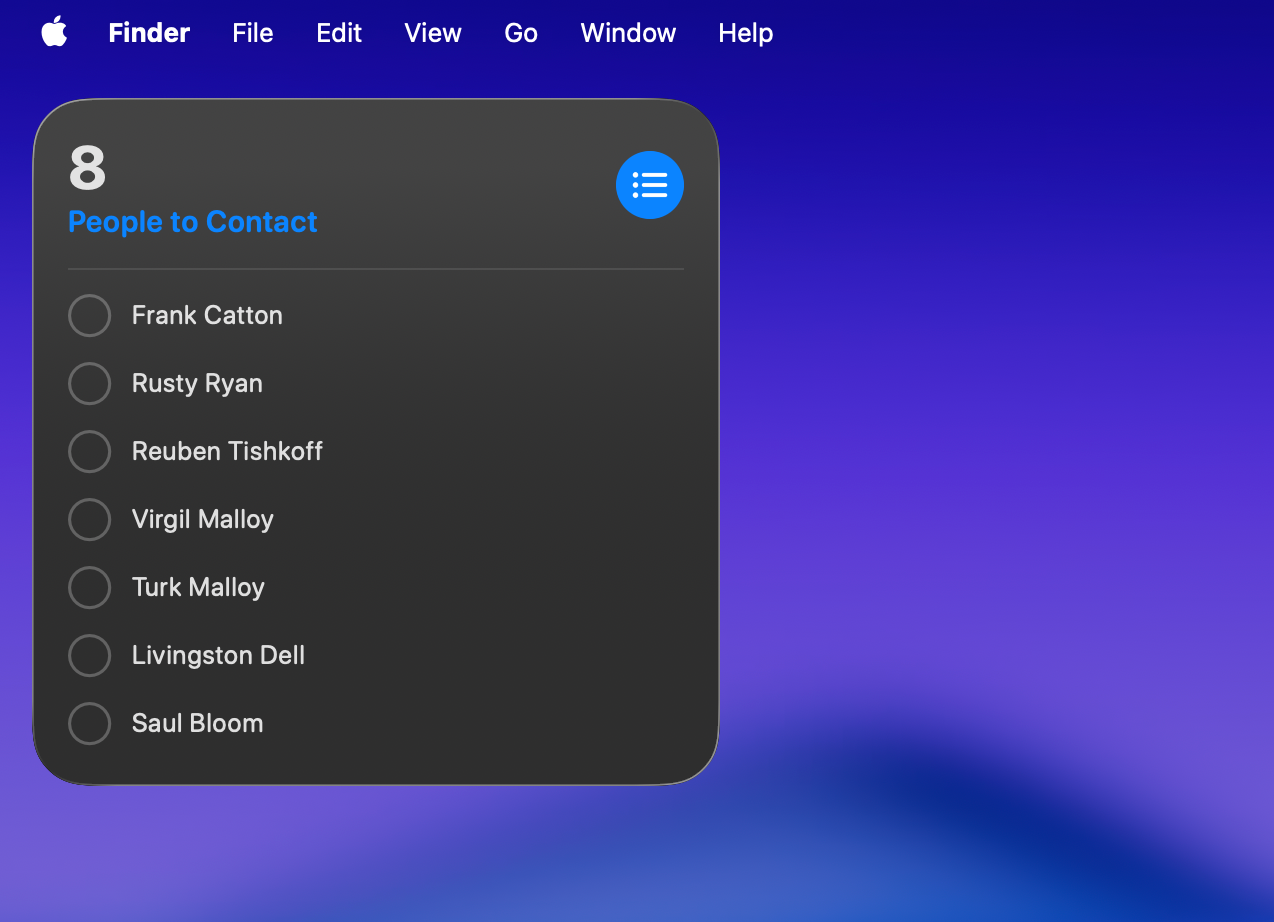
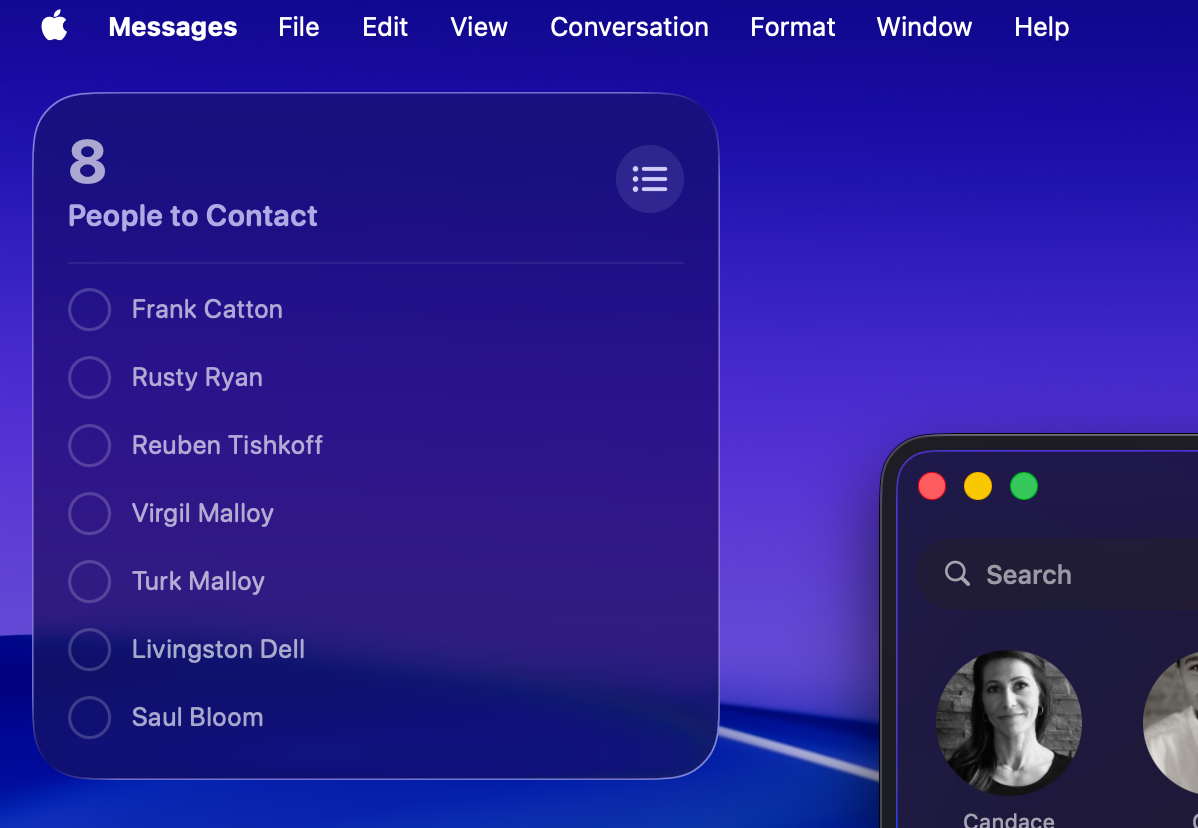
Add to desktop and Reminders List will fade to the background when using a different app
A list of tasks that is regularly seen is much more likely to be accomplished.
Conclusion
The Reminders app is free, fast, and incredibly useful. It can take a little setup, but once there, it's been very reliable for us. I use it extensively for personal tasks as well.
Does your family use Reminders in any way? I'd love to hear about it.
Feedback? Send me an email.